
Free credit on vouchers
When topping up or issuing a voucher, you can grant free credit in addition to the amount paid. The amount paid or the top-up amount is the basis. At 10%, CHF 100.00 becomes CHF 110.00 credit. The free credit is booked as a discount.
In this article
Free credit when issuing
On purchase, the customer receives additional credit on the amount paid. The percentage is fixed or tiered by amount and applies to all vouchers of that voucher type.
Which voucher types
The option is available for value vouchers and for all rechargeable voucher types, for example prepaid cards. It is not available for service vouchers such as "Brunch for 2", because these are redeemed as a whole.
Setting
You find the option in the advanced settings of the voucher type. Activate Free credit when issuing.
With Fixed percentage, enter the Percentage. With Tiered, enter tiers with Amount from and Percentage. Add further tiers with Add tier.
The highest tier reached applies. With 10% from CHF 100.00 and 20% from CHF 200.00, a voucher of CHF 150.00 receives 10% free credit. Amounts below the first tier receive no free credit.
Tiered is available for value vouchers only. A fixed price keeps the fixed percentage.

Where the free credit is applied
e-guma applies the free credit automatically as soon as the voucher is issued:
- in the online shop
- when selling in the e-guma backoffice
- when activating stock vouchers
- when issuing vouchers via the interface
With a fixed percentage, the voucher shows +10% free credit. With tiers, the voucher advertises Up to 20% free credit. Once the customer chooses an amount, the concrete free credit appears with the reached percentage, for example +CHF 15.00 credit as a gift and 10%. Below the first tier, this concrete free credit does not appear. The shopping cart shows the amount paid and the free credit, for example CHF 50.00 + CHF 5.00 free credit.
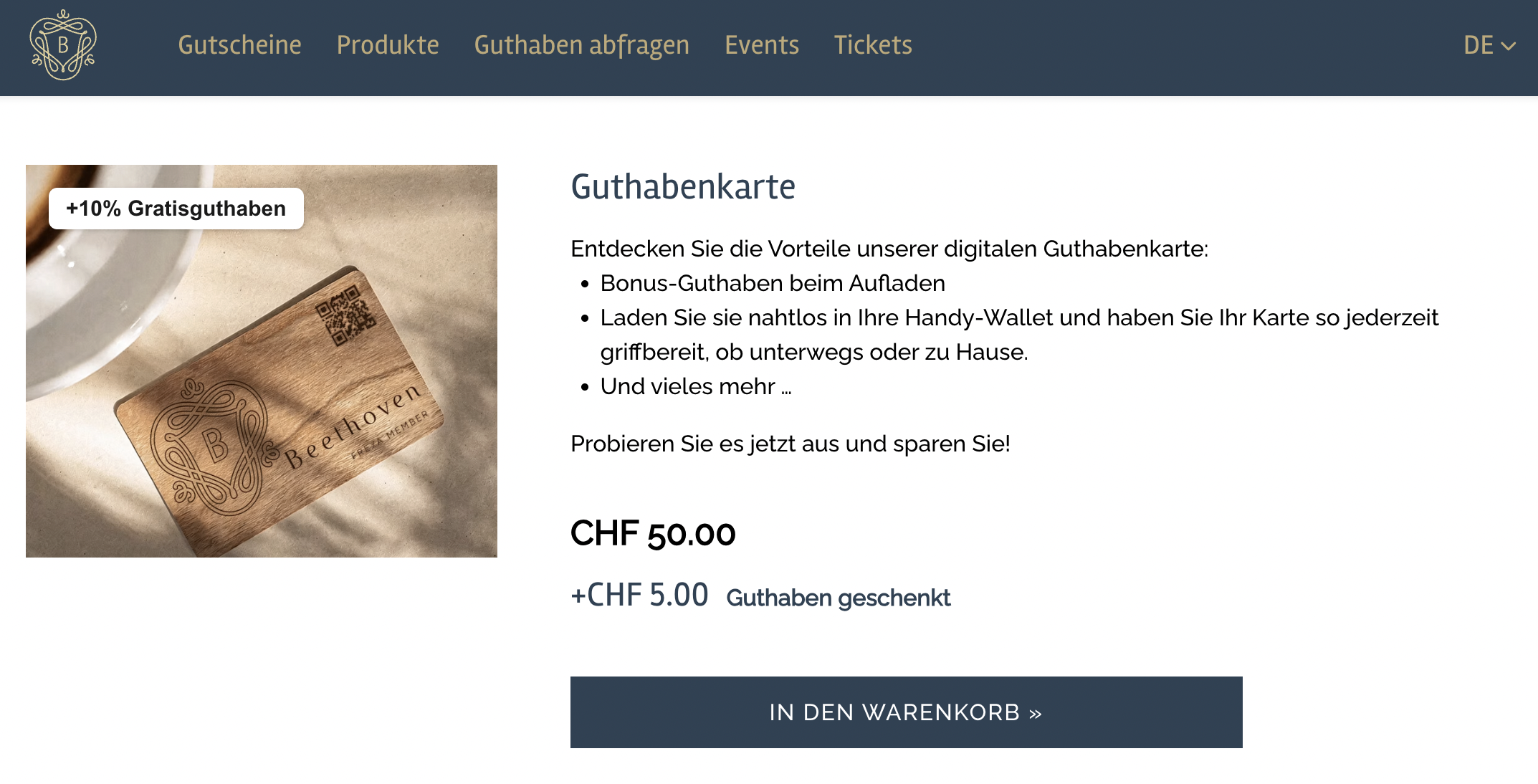
A prepaid card set up with free credit is available in our demo shop.
No combination with other discounts
- Free credit when issuing and Discount cannot be active on the voucher type at the same time.
- A promo code cannot be used for a voucher with free credit.
- The voucher cannot be issued as a Maison voucher. The payment method "Pay after redemption" is also not available.
- A Maison stock voucher receives no free credit when it is activated.
Free credit when topping up
If your customers top up vouchers or cards with voucher credit, you have the option of offering free credit in addition to the amount topped up. Free credit can be used as an incentive and marketing tool to encourage the top-up of a voucher or to reward regular customers for their loyalty.
If you would like to use the free credit when topping up, the new top-up procedure Top up voucher credit must be used. Please contact us so that we can check the use for you and activate it if necessary.
Voucher type
In the settings of a rechargeable voucher type, activate Free credit when topping up. Choose Fixed percentage or Tiered. Tiers are available here for every rechargeable voucher type, including a prepaid card. The highest tier reached applies. Amounts below the first tier receive no free credit.

Individual vouchers
Activate the free credit in the online shop only at the level of individual vouchers issued. In the voucher details, you can enter the percentage that will be added to a top-up as free credit. The basis for calculating the free credit is the top-up amount. Tiers on the voucher type also apply to the individual voucher. The individual percentage only replaces a fixed percentage on the voucher type.
The free credit for individual vouchers must be activated via the e-guma support.
Topping up in the onlineshop
As soon as the voucher code is known, +10% credit as a gift appears, or up to 20% credit as a gift when the credit is tiered. After the amount is entered, the concrete free credit appears with the reached percentage, for example +CHF 40.00 credit as a gift and 20%. If the amount is below the first tier, no free credit appears.

The free credit calculated on the basis of the top-up amount is displayed in the shopping cart:

The top-up is completed with the payment and the voucher is topped up with the top-up amount and the additional free credit.
Topping up in the e-guma backoffice
If a voucher code or a voucher type that grants free credit is entered when topping up, a message about the additional free credit will appear after the top-up.

Several vouchers can be topped up at the same time. The free credit is applied to the corresponding vouchers.

Topping up via interface
When a voucher is topped up via the interface, e-guma automatically calculates the free credit and adds it to the balance.
Topping up in the e-guma Voucher App
When a voucher is topped up via the e-guma Voucher App, e-guma automatically calculates the free credit and adds it to the balance.
Voucher information
The total voucher balance, including the free credit, is shown in the voucher information area. When issuing, the opening balance shows of which … free credit.
Order administration
The amount paid and the free credit offered are shown in the order administration area, both when issuing and when topping up.

Accounting
Sales report
To ensure that the free credit can be booked correctly, e-guma writes an additional entry in your sales report. The free credit is shown as a discount in the sales report.

Topping up on site
If a voucher with free credit is topped up on site, only the amount of the top-up without free credit must be booked in the PMS or POS.
The free credit is always booked to the location online shop and paid invoices. The amount of the free credit is therefore booked in the same way as online orders and paid invoices.

Issuing
When issuing, the free credit is booked to the location of the payment. A sale in the online shop is booked to online shop and paid invoices, a sale on site to the point of sale of the payment. In the PMS or POS, book only the amount paid, without the free credit.